Search Is Translation, Not Matching
This is for the solo developer who has to build and run a search feature inside their own SaaS product. By the end you will understand why “the data is there but the user cannot find it” happens, and how to fix it the cheapest way, entirely inside the database.
“The record exists but I cannot find it” is almost never a storage failure. It is a translation failure.
A user types a fuzzy memory into the search box, and a database can only answer in the exact form it stored. If you do not design the bridge, search fails more often the more data you pile in. This article argues that translation problem through, end to end.
 A visual metaphor for the article’s key idea.
Exact Match Is a Key Lookup, Not a Find
Most first searches look like this: WHERE name = $1. Clean, fast, and it uses the index. It passes every test, because the test types the registered title verbatim. But you write tests in your vocabulary, and users type in theirs. The gap between those two vocabularies is where search dies.
Developers who investigate a “cannot find it” ticket split into two camps. One opens a database client and runs a far more lenient query, LIKE ‘%project%’, and replies, “Well, I found it.” The other retypes exactly what the user typed in the product’s search box and replies, “Yeah, it is a bug.” They see different results because they typed different sentences.
When a developer writes SQL by hand, they already know the answer, so they do not loosen the condition; users, who do not know the answer, type whatever they can remember. Testing search while you know the answer is not a test; the honest test is to type what you would type if you were looking for something you had forgotten.
Exact match makes a strict promise: type the whole title, character for character, no leading or trailing spaces. That promise holds for an internal tool where the person who registered the data searches for it later, but it breaks in a product where anyone can search. The person who named something three months ago and the person looking for it today may be different people, and even the same person’s memory does not preserve the original form.
Exact match, then, is a key-lookup technique, not a find technique. When a user opens a search box, they are translating a fuzzy memory into a sentence, and exact match is the least forgiving engine the database offers to receive that translation.
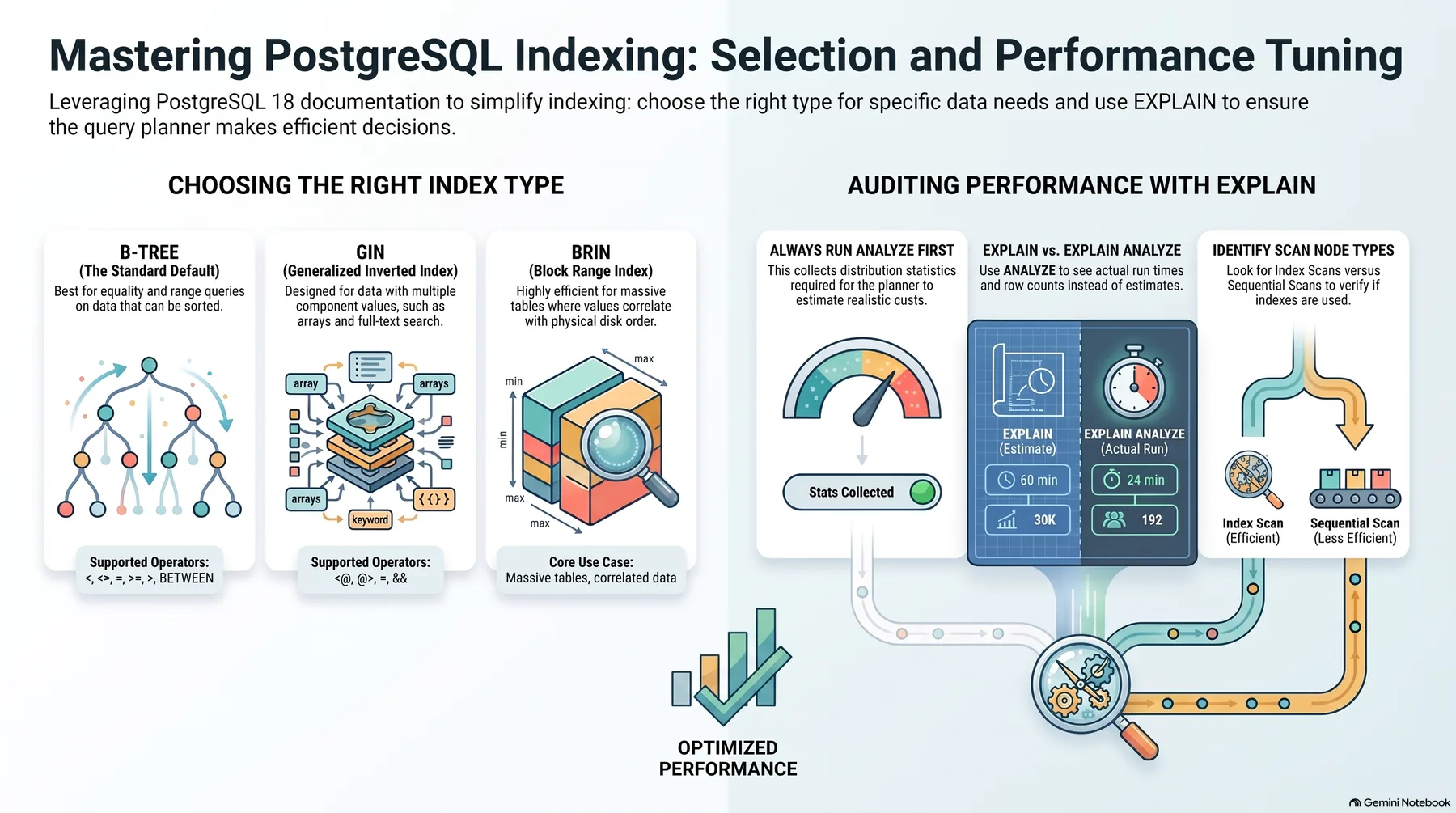 Infographic generated by NotebookLM from the sources.
The Five Things Users Actually Type
Leave a search box in a product and watch for a week, and the input converges on about five shapes. This is not an abstraction; it is what people type, written out.
First, the registered name verbatim, the whole “Q3 Growth Project”. This is the only type exact match handles, and in real products it is rarer than you expect. Second, part of the name, just “growth”, by far the most common form, and it assumes partial matching. It splits into the front, the middle, and the back of the name, and a B-tree index only finds the front.
Third, typos, a transposed or missing letter. Fourth, a word that is not in the data: the record says “billing” and the user types “invoice”. The storing and searching vocabularies do not line up, and no matching algorithm fixes this, because however forgiving the matcher is, it cannot find a sentence absent from the stored characters.
Fifth, conditions mixed in, “the ones in progress, from last month”. The user is searching and filtering at once, but the search box only takes words, so this is solved by pulling the condition into a separate filter input. Beyond these five there is the empty input: the placeholder blinks and the user leaves, the most frequent event in a search box. If empty inputs are common, the user did not know what to type, or that they were allowed to.
Each of the five types needs a completely different fix: partial matching, similarity, a vocabulary map, and filters. One exact-match clause handles none of them. Even the placeholder belongs here: “Search by name” tells the user to type the whole name; “Search projects” tells them the description works too. It is a one-line spec of the dictionary the user must speak in.
Search Is Translation Between Two Dictionaries
A search feature interprets between two dictionaries. The first belongs to the user: what sentence does this thing go by in their head? The second belongs to the data: what sentence is stored in the database? The database is faithful about storage but knows nothing about the user’s dictionary; it can only answer in the exact form it saved.
The developer’s job is to bring those two dictionaries closer together before writing any query, and there are three levers.
First, make storage forgiving: when a synonym exists at registration, store it too, so entering “invoice” also writes the “billing” field. That is a data-modeling problem. Second, make search forgiving: partial matching, similarity, trigrams. Third, bridge the gap directly: a small synonym map and a “did you mean this?” suggestion.
You do not have to pull all three, but you must pull at least the second; exact match is a starting point, not an answer. Making storage forgiving is the slowest and bridging the gap the closest to the user, but making the search itself forgiving gives fast, cheap effect. The rest of this article is that second lever, plus the two things that finish the product on top of it: the results page and the discipline of evidence.
The Cheapest Forgiveness Is Partial Match and Trigrams
Before a search engine handles a sentence, it cuts it up. In English the space is the word boundary and lowercasing is enough. Korean is different: a space is not a word boundary, so the same idea written as one chunk or two cuts into different pieces. The deeper problem is morphology. “To search”, the object form, and the subject form share a root but are different strings, and a stemmer built for English’s short, regular suffixes is not enough for Korean’s long, rule-heavy endings. Morpheme-level cutting needs a dedicated analyzer.
Setting up Korean morphological analysis properly, from scratch, at solo scale is a bigger project than the search itself: pick an analyzer, apply it at write and query time, verify both use the same tool, and reprocess everything once data accumulates. That eats two to three times the search feature. So the cheapest forgiveness is not a sophisticated analyzer but partial matching, which skips the cutting entirely and just looks for “contains”.
The most intuitive partial match is a LIKE ‘%growth%’ condition, and the problem is that the index does not fire. A B-tree index is stored in sorted order, so rows beginning with “growth” can be jumped to quickly, but rows containing “growth” anywhere cannot be found by sorted order; every row has to be read. That is a sequential scan. At a thousand rows nothing happens; at a hundred thousand, every search reads a hundred thousand rows, and at five hundred thousand you hear “why is it slower than before?”
The way out of reading everything is a trigram index, the pg_trgm extension in Postgres. The principle is simple: slice the text into overlapping 3-character pieces and index them. “Growth drive” contains pieces such as “gro”, “row”, and “owt”; when a user searches for one, you find it in the index and check only the candidate rows, reading the candidates instead of everything. It is language-agnostic, working on Korean or English or any text, and the same index serves both “starts with growth” and “contains growth”.
Trigrams have a boundary. One- or two-character searches produce pieces so common that even with the index the candidates are most of the table, so you cap the minimum length in the search box. And trigrams find substrings, not similar strings: if “crew” is stored, “crewt” is not found, and typo tolerance belongs to a dedicated search engine. The table below splits the four matching methods by where they shine and where they break.
| Method | Works well | Breaks down |
|---|---|---|
| Exact match | Key lookup | Partial, typo |
| Trigram | Short Korean included | 2 chars or less |
| Full-text index | Long text, English | Short Korean |
| Dedicated engine | Typos, multilingual | Operational burden |
Reading the table is easy. Long documents fit a full-text index; short names fit trigrams. If users type typos and still expect an answer, trigrams stop there and you are in dedicated-engine territory. But the most common mistake at solo scale goes the other way: putting a dedicated engine in front of five thousand rows converts a performance problem into an operational one. Adding a new service without knowing whether the slowness is the LIKE, the row count, or the page structure is adding a drug without a diagnosis. Find the cause first, then choose.
The Results Page Is What Completes Search
The user’s goal is not the query; it is the answer. The search box is only the entrance, and the results page is the product. A user feels a product is easy to find things in not while typing but while looking at the results screen, which has to answer three questions: what is this, in what order, and what has not shown up yet.
The first question is answered by the preview, which has to let the user decide “that is it” without clicking. Put three things on every row: a title, one piece of identifying context, and a match highlight. The identifying context differs by entity. An order gets an amount and a date, a customer gets a company name and recent activity, a document gets an author and a modified date. The single criterion: when a user sees two rows with similar titles, can that one slot tell them apart without opening either?
The second question is answered by sorting, a choice between two honest answers. Relevance order is “closest to what you typed first”; time order is “most recently changed first”. Both are right and both are sometimes wrong. The practical line is conditional: no query means time order, a query means relevance order. Do not forget ties. When several rows share a relevance score, their order is undefined, so page by page the same rows shuffle and the user feels the list moving. Append the immutable id as the final tiebreaker and the wobble stops.
The third question, and the most neglected corner, is the empty-results page. Zero results is not a bug; it is information. But most products show nothing there, and a blank screen says “none” without saying “what to type next”. Put four things on the empty page: a recap of what was typed, a suggestion to clear the filters, a nudge toward a shorter word, and similar-word suggestions.
The most valuable of these is the logging. Every zero-result search gets a row: the query, the result count, and the time. As the log accumulates you see the word clusters where zero results pile up. If a user typed “invoice” forty times and the data only has “billing”, you have a reason to add a line to the synonym map. The empty-results log is not a performance record; it is a report of the vocabulary gap, where what the user wants is not what the data knows.
Treat Every Stage of Translation as Evidence
A query that has an index may not use it. The planner computes costs, and if reading everything looks cheaper, it picks a sequential scan. So the first thing to do the day a “search is slow” complaint lands is EXPLAIN, run every time you touch search code, not once a week. When a performance problem starts from “it got slower”, there is no proof and it becomes a guessing fight. One line of EXPLAIN ends that fight.
The second piece of evidence is twenty queries. Write down twenty search terms you would actually type, not a nice twenty but a busy-day twenty. As you write them, half will not be found by exact match and some not even by partial matching. Sort those twenty into the five types above and count how many the current search box answers. That number is the real measure of improvement: when you change search, rerun the same twenty and see whether the count went up.
The third piece of evidence is the search log as a whole. Look at one month and three things: words that repeatedly return zero, big queries that do not get many hits, and the top few queries. Zero-result words are evidence of a vocabulary gap, and a big query with no clicks is evidence that the preview failed to say “that is it”. When you see many results but no clicks, go back to the results page.
Before scale grows, keep two things in mind. In a SaaS, every search carries a tenant filter from the start, WHERE tenant_id = $1; remove it and user A finds user B’s data. That filter is a precondition, not a feature. And draw a line on when to migrate: do not move to a dedicated engine for performance you do not have yet. Start the conversation only when typo tolerance becomes the face of the product, when it goes multilingual, when rows cross into the tens of millions, or when someone can run one more service.
In the end, the discipline this article points to is one: treat every stage of translation as evidence, not as a guess. The twenty queries are the test set for the translation, EXPLAIN the proof for the index, and the search log the material for the next improvement. Ask, every time you change search, “what did the user have to learn?” If using the search requires the user to learn something first, the search is not finished yet. Data accumulates, users change, and words change; the side that must not change is the search.
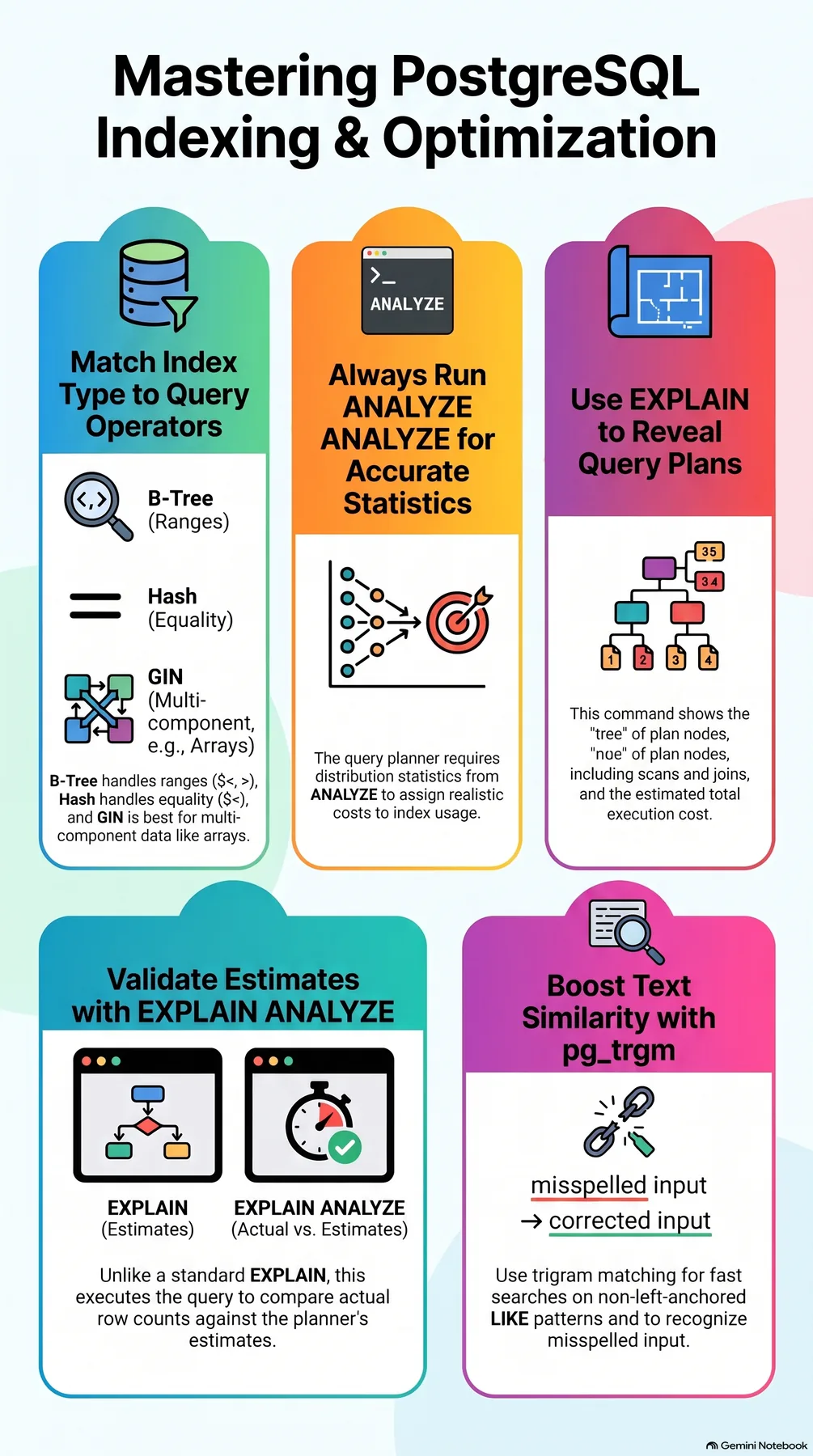 Infographic generated by NotebookLM from the sources.
References
The B-tree prefix behavior, the 3-character slicing in pg_trgm, full-text index limits, EXPLAIN and index-usage examination, and Korean morphological analysis in the body cross-check against these materials.