Ship Only What You Can Revert
If you push your own service to production yourself, or you are the engineer on a small team with no dedicated operations person, this piece is for you. The real question of a production deploy is not whether it goes up, but how fast you can take it back. A deploy sent before the way back is prepared is a gamble; a deploy with the way back in place is the next lap of a loop you have already rehearsed.
The common posture toward deploying is one of courage, making every deploy a tense event. This argument eliminates the event: when machines remember the artifact’s identity, a registry keeps the place to return to, and an ordering compresses the deploy into one command, shipping stops being a decision.
The most expensive part of this argument is not the pipeline. It is data. Code can be swapped back, but the data written while the new code ran stays in place. The second half goes to the one place the machinery alone cannot save.
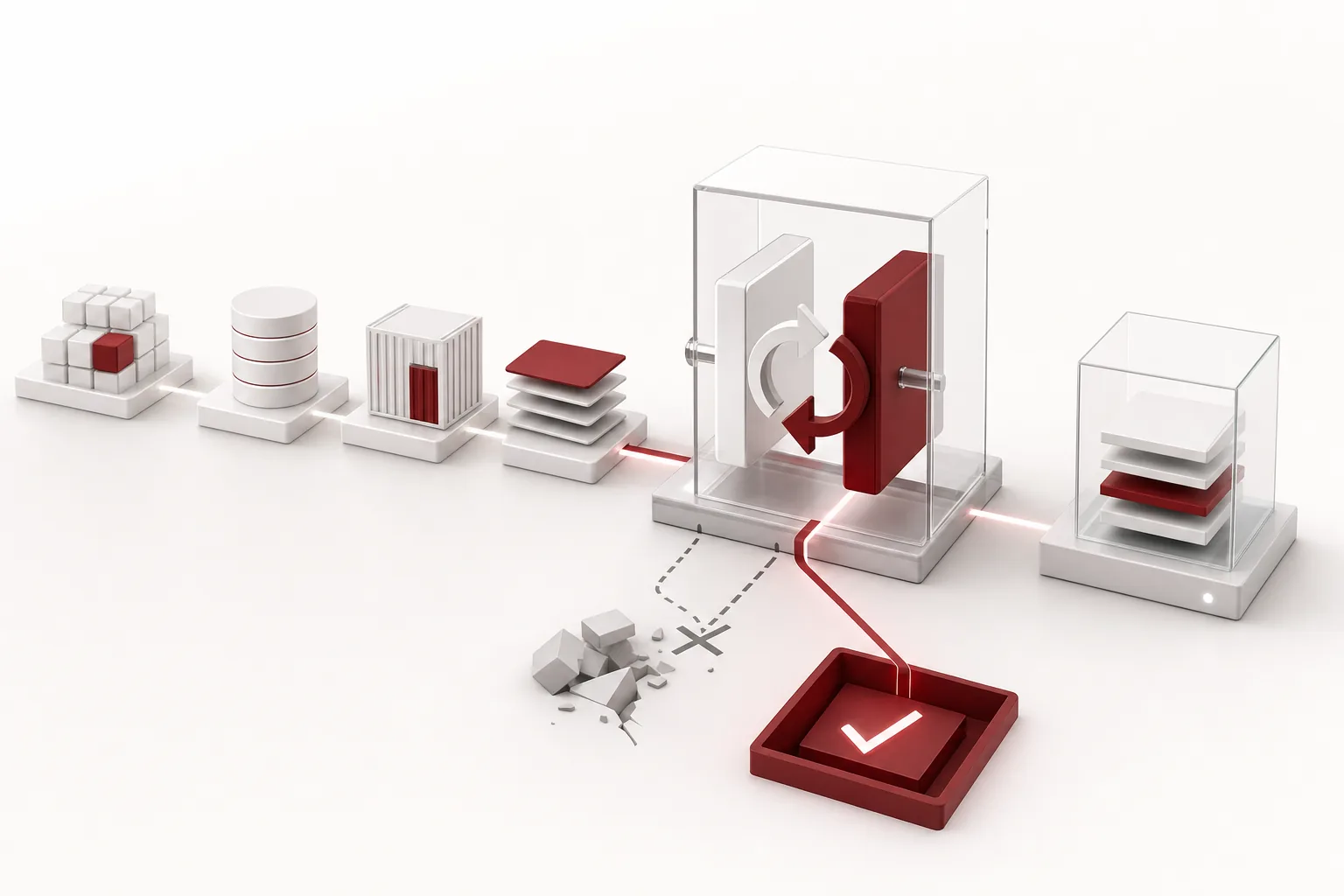 A visual metaphor for the article’s key idea.
The 10 PM Rollback That Does Not Exist
The scenario goes like this. At 9:40 PM, someone merges a half-fixed feature into main. It worked on their machine, so it is fine. At 10:00 PM, you git pull on the production server, install dependencies, and restart the process. The deploy is done. At 10:20 PM, the error log starts to fill. You recognize the failure and try to roll back, and discover that you cannot.
Nobody knows what version the server was running before. The dependencies installed at 10:00 are the latest, so even the state from an hour ago is ambiguous. What is missing is an artifact with an identity. What is running right now, what was running before, what were the dependencies at that time. Three questions, and no answers to any of them.
A state you cannot describe is a state you cannot restore. That is the premise of everything that follows: you know what is running, you can bring back what was running before, and getting back there takes a single operation.
“Being careful” does not hold. Care is a state, not a system, and states end. Hotfixing code on the server, installing dependencies without a lockfile, restarting instead of deploying. Each is a small shortcut. Together, they are the production state nobody can describe, and the state nobody can describe is the state nobody can roll back.
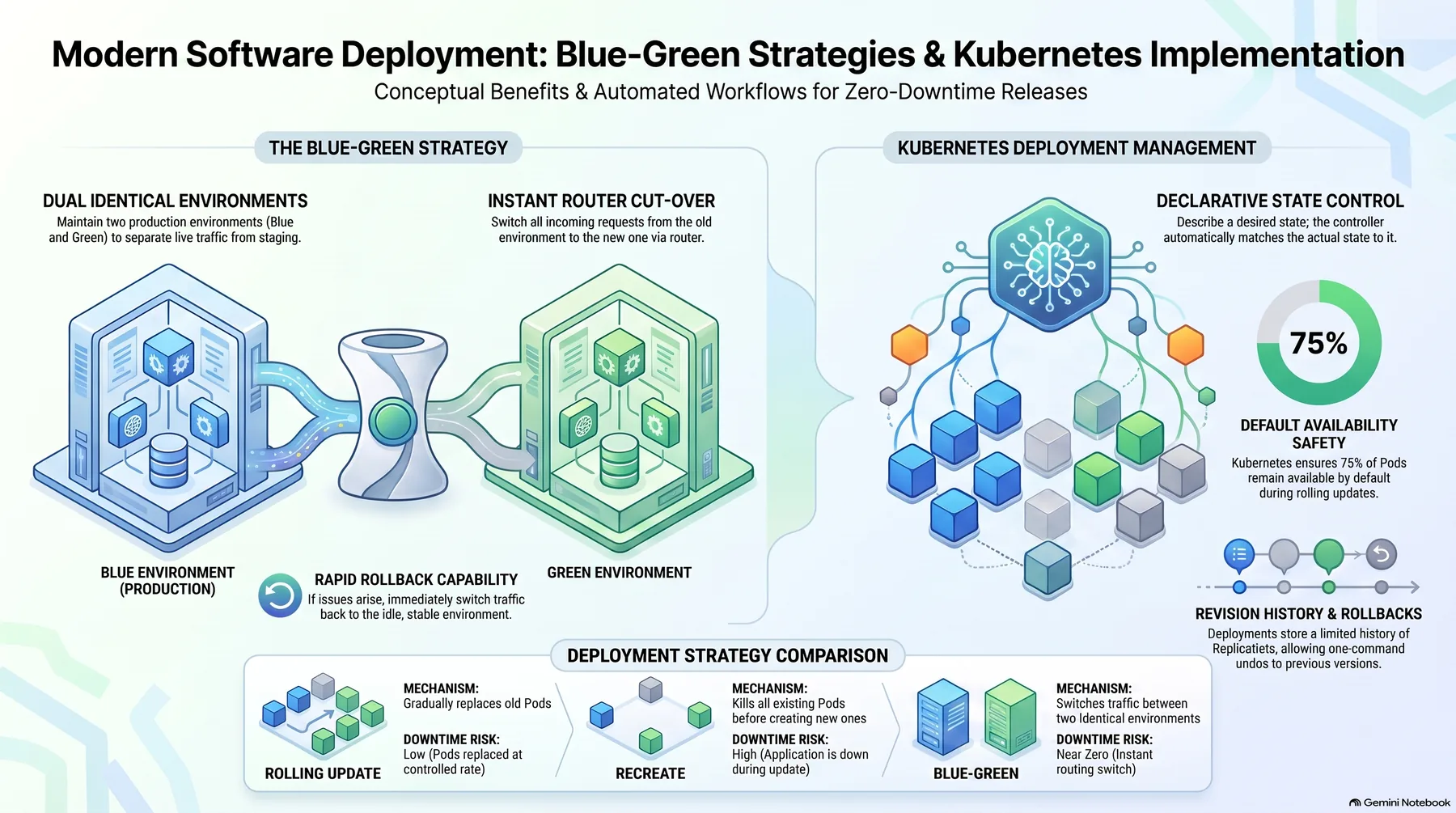 Infographic generated by NotebookLM from the sources.
What Leaves the Machine Is a Build, Not Code
Git holds text, and text does not run anywhere. A build is the step that turns that text into a specific executable form, and a deploy is the act of moving that build’s result into production and running it. The distinction sounds academic, but it decides how you handle a production incident.
Building on the server makes two things ambiguous: what is running, and where. A git pull takes the newest commit on main, so what executes is not the version you tested but whatever is in the branch right now. And the build environment differs: dependencies install fresh on a different OS and package manager than your laptop. Do not build in production. Build in one place, and run its result.
The result, the artifact, carries an identity: a version number, a Git commit hash, a build time, and the builder. A container image is named like myapp:1.4.2-3f9a1c2; the version is for humans to read, the hash for machines to verify. Rollback means pointing again at a specific image, not last week’s version. Inside: code, every dependency, start and stop scripts. Outside: production settings, data, state. Settings and data are supplied by the environment; that separation is the condition for the later swap.
An artifact with identity only means something if it can be made again. The lockfile is code, not a build byproduct, and FROM python:3.12 in a Dockerfile is a weak pin, so pin down to the digest. When the same source makes the same artifact again, debugging starts on Wednesday morning by running the exact version that had Tuesday’s bug. Version numbers are assigned by the build, not by a person: if 1.4.2 has a bug, you do not rewrite it; you make 1.4.3.
The registry can be simple, an image registry or one object-storage bucket. The decisive rule is immutability. An artifact never changes content under a given name; the moment it does, the version confirmed to run is gone. The one running now and the last few must stay, and deleting an artifact is giving up the right to roll back to it. For a one-service team, the whole setup is a build on CI, one bucket, and a one-line deploy command.
The Pipeline Protects One Rule
The typical ordering: lint, tests, build and artifact creation, push the artifact to the registry, deploy, verify, notify. A small service can get by with test, build, deploy, verify. The value is not the number of stages. It is that every stage has a pass criterion, and the whole thing runs again with a single command.
The ordering matters, and seen backwards it is obvious. Testing after the build is meaningless, because nothing is frozen yet to test. Deploying before the artifact is pushed to the registry removes the place to roll back to. The rule the pipeline exists to protect is therefore this: an artifact that is not in the registry cannot be deployed.
build:
 needs: test
push:
 needs: build
deploy:
 needs: push
 environment: production
The line where deploy needs push is the guardian. The environment: production line is the slot where the stage can ask for one human approval, the surest risk control a small team has.
Pass criteria should not be generous. Build passes only if the commit is in the artifact’s name and no same-named artifact is already in the registry. Push passes only if it can be pulled back, not on the success message. Deploy is not successful when the process is up; it is successful when the health check passes. The verification criterion is not “something answered,” but the core path responding with a specific status code and shape. The looser the criterion, the further the incident is pushed, until someone notices.
When the pipeline is complete, the deploy becomes one line, ./deploy.sh. Two conditions: every stage is idempotent, and every stage runs in CI, without your laptop. The line has a pair: deploy is ./deploy.sh, rollback is ./rollback.sh, both a single line, both operating from the artifacts in the registry. If going back is not a single command, the pipeline is a one-way ticket. Failures must be visible: failure notifications are mandatory, because in a deploy that fails quietly, production is on the old version while the team believes it is on the new one.
The Environment Is a Contract, Not a Place
People picture environments as machines. Code does not see machines; it sees a list of services it can talk to, values it can read, and data it can touch. The right question is not whether the servers are the same, but whether the code hears the same answers to the same questions.
A small SaaS gives the shape: one web app, a database, a background worker that sends email. Development is the laptop: local database, test API key, worker printing to the console. Staging is one VM with a small-size database from the same provider and test-mode keys. Production holds the real users’ data. All three run the same build; what differs is the values it hands over: database address, API key, the worker’s send-or-discard.
Settings must not live inside the code; they are inputs the environment hands over at start. Three baskets: build-time constants in the code, runtime settings in environment variables, secrets in a secret manager. Commit a .env.example listing every required variable, so you next month know what the service asks for. Secrets are injected only at the deploy stage, so they never end up in build output or logs. Branching on the environment name in code, an if env == “prod” check, is avoided too.
The contract breaks in two places: settings and data. If the new version expects a new environment variable that does not exist in production, you have built a state where rollback stops working. The fix is order: put the new value in the environment first, keep a default compatible with the old behavior through the transition, and only then ship the code that uses it. The data ordering comes in the final section.
The practical question is which contracts cannot be verified without a separate environment. Usually three: settings that exist only in production, the real keys and the real database; the behavior of data migrations; and the latency and load that show up only under real traffic. If the service does not touch money and migrations are small, staging can be skipped, and the substitute is a verification script right after the deploy plus a fast rollback.
Once you run two environments, drift is a matter of time, and it is a structural problem, not a diligence problem. Make the two environments the same way: infrastructure as code, the same artifact from the registry in both, the same smoke test in both. A check that passes only in staging guarantees nothing about production.
Rollback Is a Swap, Not an Undo
In many teams, rollback is the emergency measure. An undo is ordered, and every step in it can fail. The rollback this piece argues for is a swap: point the traffic at the previous artifact that already exists in the registry. You are not reversing code. You are changing what is pointed at.
The swap works for three reasons: the previous artifact already passed its tests and is confirmed to run, it is a single operation, and its failure mode is simple. If the swap fails, the old thing is still running. So the design question shrinks to one: what does it take to make the swap clean.
| Strategy | What it needs | What rollback looks like |
|---|---|---|
| rolling | replicas and health checks | redeploy the individual instance |
| blue/green | room for two stacks | flip the traffic back |
| canary | traffic splitting and metrics | set the ratio to zero |
With a single instance, blue/green works on one machine. Start the new artifact on a new port, run the smoke test, switch the nginx upstream and reload, watch for a few minutes, and switch the upstream back if something is wrong. The only step that touches real user traffic is that one line.
When to roll back is decided before the deploy. In the pause of “just shipped it, it is probably fine,” the small problem grows. Three criteria are enough. If the 5xx rate doubles against the pre-deploy baseline, investigate immediately and roll back unless there is a fast explanation. If the smoke test broke, a core-path metric is falling, or data might have been written wrong, roll back first. With the place to return to, the one-line command, and the runbook in place, decision to recovery takes about ten minutes.
Rollback is not the end. It is one lap of the same loop. The broken artifact, logs, and commit remain in the registry, and the fix goes out as 1.4.4, through the same pipeline. Skipping a stage because a rollback happened hands that stage back to human memory. The procedure lives in a one-page runbook, rehearsed once a quarter in a non-production environment. And deploy small and often: a deploy carrying two hundred changes has two hundred rollback suspects; one carrying ten has ten. Teams that move production often roll back fast. Same muscle.
The One Place a Swap Breaks Is Data
The swap solves the code. It does not solve the data. Whatever the new code wrote while it ran stays in place. So the real precondition of a clean swap is a single sentence: the new code must not write data the old code cannot read.
Two examples draw the line. If the new version adds a discount_type field to the order JSON, the old version ignores unknown fields; no problem. If it changes the amount field from an integer to a string, the old version breaks the moment you roll back. The difference is addition versus redefinition. The rollback design allows the first and forbids the second.
The practical rule is to write in the old shape and read in the new shape, and schema changes follow the same spirit, expand/contract. Add the new column as nullable; the old code does not notice it. Deploy the new code, which reads both. Move the existing rows in batches, without locking the table. Remove the old structure in the next release, once every reader has moved. Contract first, and you destroy the place to roll back to before the new code even ships.
If data has already been written in the new shape, there are two options. Run the backfill in reverse: rewrite the new-shaped data back into the old shape. Or patch the old code’s read path to understand both, while writing stays in the old shape. Both are judgments about data shape, made before the deploy. If you could not ask how the new-shaped data will survive after rollback, the rollback leaves the data problem for the next morning.
The second safety net is the feature flag. Ship the risky code with the flag off, turn it on for a small share of users, and watch. If something is wrong, turn the flag off, faster than swapping the whole artifact. But flags are not universal; dead features accumulate. Give every flag an expiry and delete the code in the next release. A flag sitting for three months is debt.
The argument, in one sentence: ship only what you can revert. The build makes the identity, the registry keeps it immutable, the pipeline protects the ordering, and the contract puts settings and data in their places. With the place to return to always in the registry, the moment of sending is not a bet. It is the next lap of a loop you have already rehearsed.
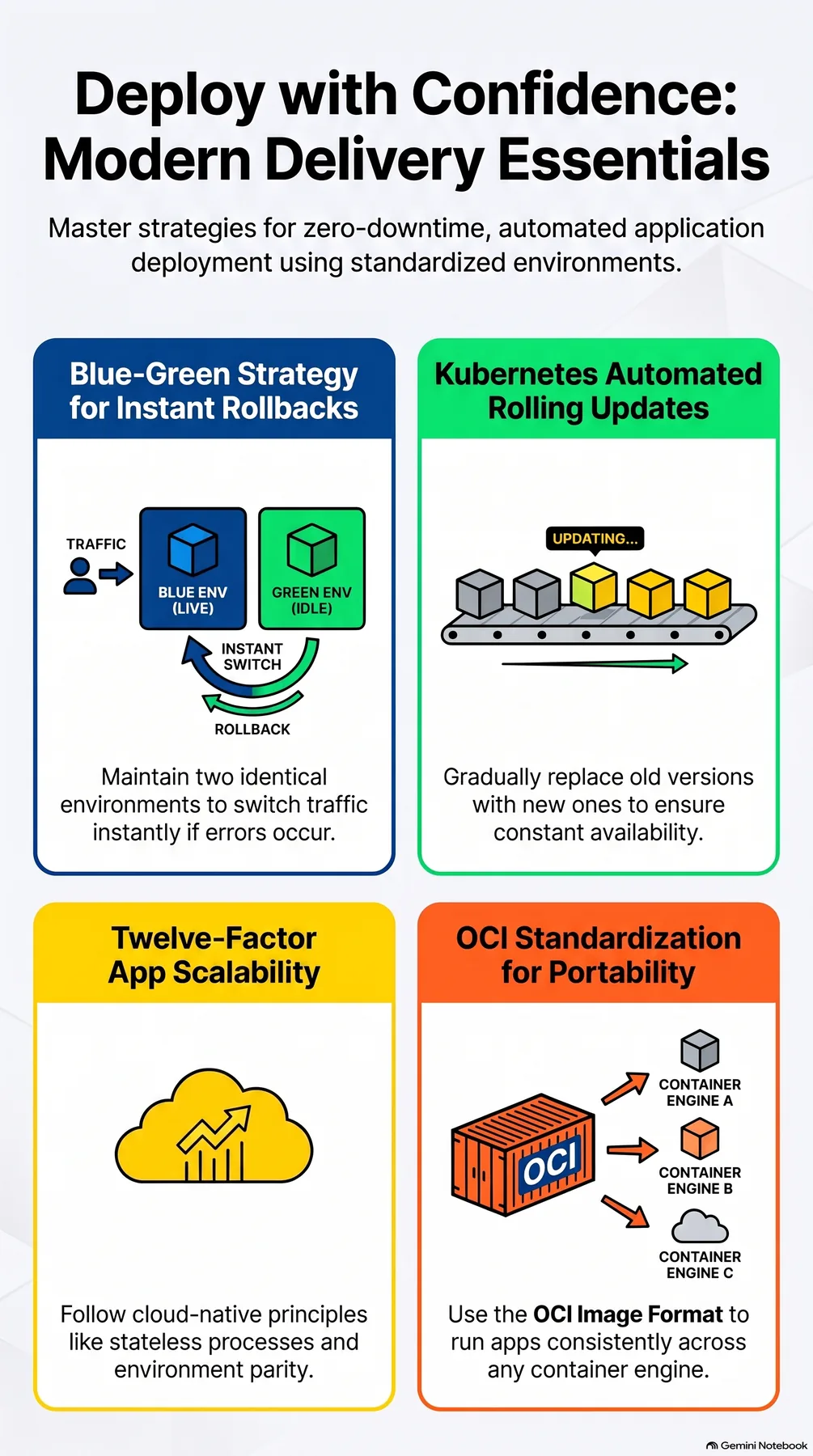 Infographic generated by NotebookLM from the sources.
References
- Separating build, release and run; injecting config from the environment: The Twelve-Factor App
- Pinning an artifact to a digest for immutable identity: OCI Image Spec
- Designing rollback as a traffic swap: Blue Green Deployment (Martin Fowler)
- Rolling updates and how rollback works: Kubernetes Deployments