Are costs exploding as AI usage grows?
Praxis is an on-premises AI agent platform that enables enterprises to build, deploy, and operate autonomous multi-agent workflows entirely inside the firewall. Zero external API dependency and no pay-per-use billing.
The more AI you use, the more external API costs spiral out of control.
A single agent workflow generates hundreds of API calls. As usage grows, costs increase exponentially, not linearly. Praxis fundamentally changes this structure — agents are designed to operate directly on internal infrastructure instead of external APIs. Build complex multi-agent workflows with low-code simplicity. Praxis's agent builder runs directly on your own infrastructure, keeping every decision and data flow securely managed inside your environment.
Complete on-premises cycle from agent build to audit
Visual Agent Builder
Build complex AI agents inside your firewall with low-code simplicity.
Configure task routing, tool assignment, and multi-agent collaboration logic with a drag-and-drop low-code interface. All builds happen on internal infrastructure — data never leaves.
Data Integration
Connect agents directly to internal databases
MCP (Model Context Protocol) integration connects agents to sensitive internal DBs without external exposure. Guarantees controlled RAG responses fully grounded in enterprise data.
Logic Control
Agents behave predictably in production
Manage system prompts as reusable assets and standardize agent behavior across departments. Thorough logic verification before deployment prevents unpredictable production behavior.
AgentOps
Complete audit trail for every agent decision
Track all autonomous AI actions in real-time. Log internal token usage and entire decision processes to satisfy financial/public-sector compliance audits at any time.
Fundamentally changing the API cost structure
Achieve complete independence from public API dependency to block cost explosions as AI scales. The only on-premises agent platform that delivers data security and cost efficiency simultaneously.
External token cost reduction — on-prem agents
Agent processing cost vs. public cloud
External API dependency — direct internal execution
Audit coverage — full decision logging
Thaki Agent Studio on Thaki Cloud
Agent platform integrated with the data ecosystem of each enterprise/organization
Thaki Agent Studio Core Capabilities
Enterprise RAG Engine
Combine organizational documents with AI to generate accurate, context-aware answers through internal knowledge base search.
AI Tool Mesh
Easily integrate and utilize various APIs, databases, and external systems with agents.
Domain-Specific SFT
Perform domain-specific fine-tuning to build enterprise-customized LLMs.
Multi-Agent Engine
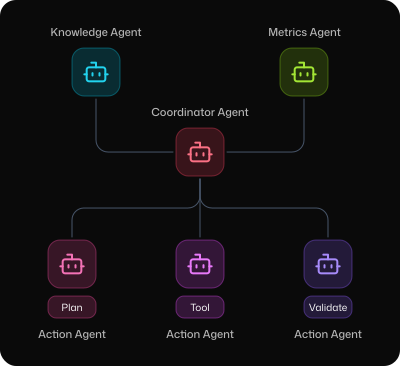
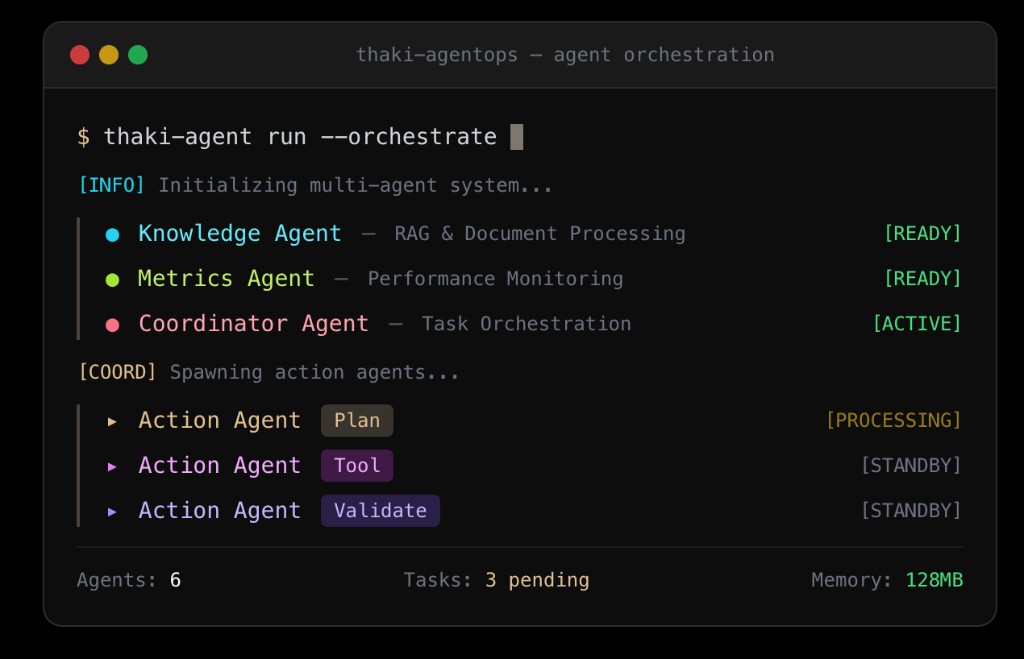
Orchestrate multiple agents working together on complex tasks with role assignment and collective learning.
AI-Native Workflow Orchestrator
Visually design and automate complex AI workflows with conditional branching and parallel processing.
See how Praxis eliminates token cost explosions
Contact UsBuild Agents in 4 Steps
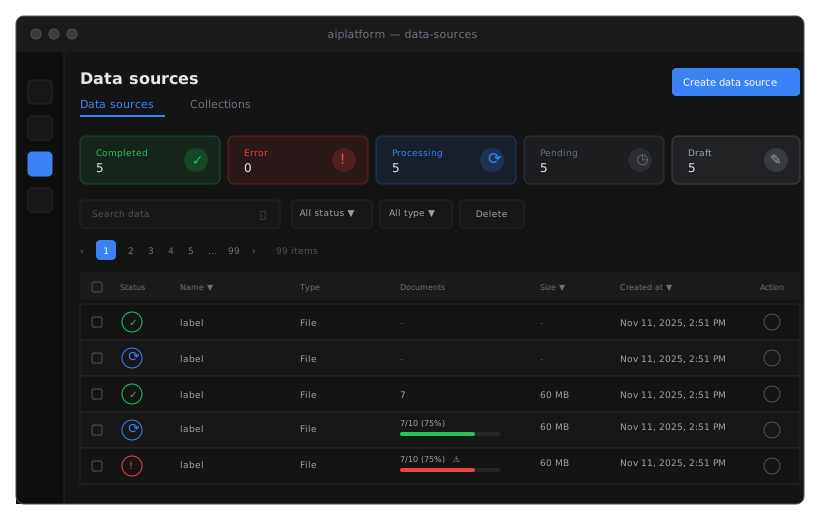
Connect Data Sources
Create Data Sources
Register internal systems such as databases, file servers, and SaaS applications as Data Sources.
RAG Indexing
Registered data is automatically indexed and vectorized through the Enterprise RAG Engine, creating a searchable knowledge base for agents.
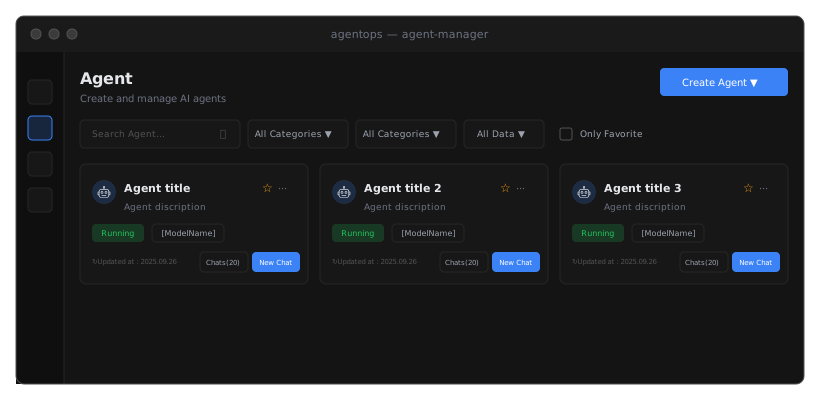
Design Enterprise Agents
Agent Creation & Binding
Create task-specific Agents by binding selected Data Sources with domain-specialized SFT models.
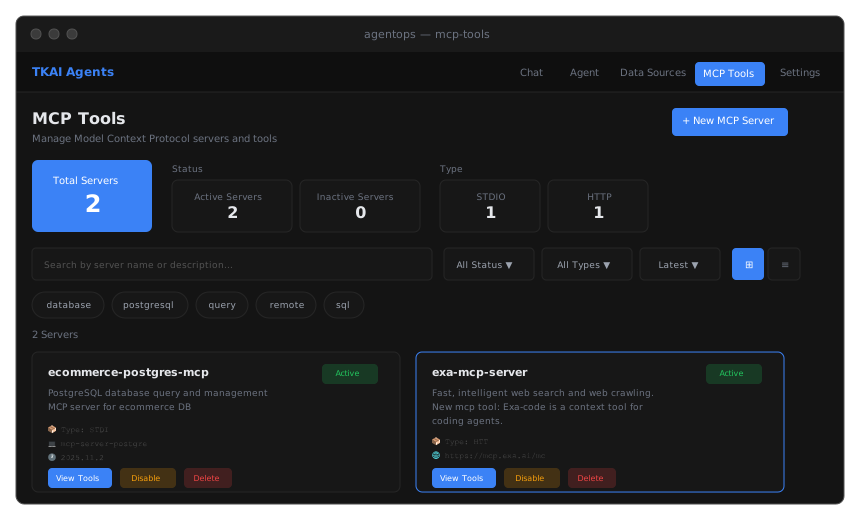
Connect MCP Tools
Tool Registration
Register DB queries, search functions, and internal business system APIs as MCP Tools to define actions that agents can invoke.
Execute & Improve in Chat Console
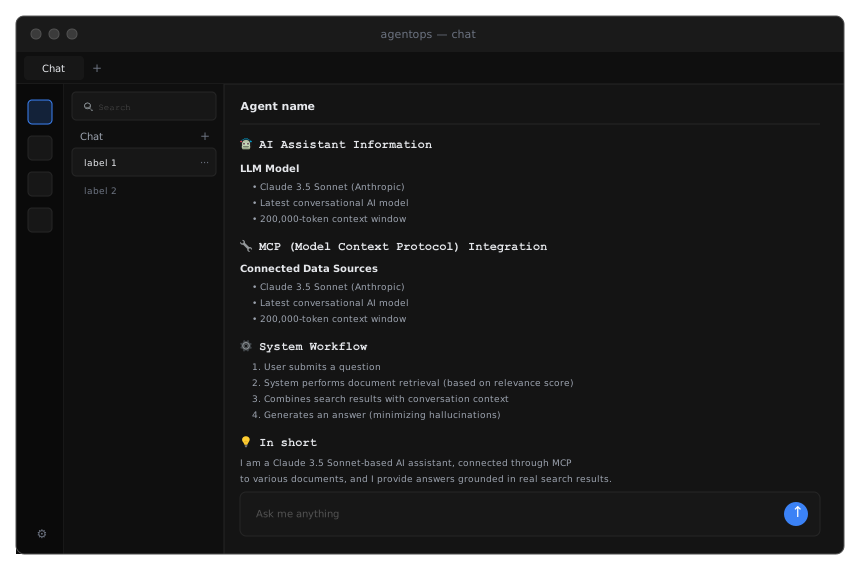
Chat
Select an agent and test queries and responses in a real user-like interface for testing and operations.
Multi-Agent Engine
Orchestrate multiple specialized agents that collaborate, communicate, and learn together to solve complex enterprise challenges.